Ask us anything
How to replace the bearings in A.O. Smith Century Centurion?
Replacing the bearings in an A.O. Smith Century Centurion motor is a maintenance task that can extend the life of the motor and ensure its optimal performance. Bearings can wear out over time, causing noise and reducing efficiency. Here's a step-by-step guide on how to replace the bearings in an A.O. Smith Century Centurion motor:
1. Safety First:
Before you begin, ensure that the power supply to the motor is completely disconnected. This involves turning off the circuit breaker and verifying that there's no electricity flowing to the motor.
2. Gather the necessary tools and materials:
You'll need a set of replacement bearings suitable for your specific motor model, a wrench or socket set, a bearing puller tool, a hammer or mallet, a screwdriver, and some lubricating oil or grease.
3. Access the motor:
Depending on the application, you may need to remove the motor from its housing or assembly. This typically involves disconnecting electrical connections and removing mounting bolts. Make sure to follow the manufacturer's instructions or consult the motor's manual for specific details on disassembly.
4. Remove the end bell covers:
Most A.O. Smith Century Centurion motors have end bell covers that protect the bearings. Using a wrench or socket set, carefully remove the bolts or screws securing the end bell covers in place. Once the end bell covers are removed, you'll have access to the bearings.
5. Remove the old bearings:
Inspect the old bearings for wear and damage. Using a bearing puller tool, gently extract the old bearings from their housing. If the bearings are stubborn, you can tap them out using a hammer or mallet while being careful not to damage the motor shaft or housing.
6. Clean the motor shaft and housing:
Before installing the new bearings, clean the motor shaft and the bearing housing thoroughly. Remove any dirt, debris, or old grease that may have accumulated.
7. Install the new bearings:
Apply a small amount of lubricating oil or grease to the inside of the new bearings to ensure proper lubrication. Carefully press the new bearings onto the motor shaft and into the bearing housing. You can use a bearing press tool for this step, or if the fit is tight, gently tap the bearings into place using a soft mallet.
8. Reassemble the motor:
Once the new bearings are installed, reattach the end bell covers and secure them with the bolts or screws you removed earlier. Make sure everything is properly aligned and tightened.
9. Reconnect electrical connections:
If you had to disconnect electrical connections when removing the motor, carefully reconnect them according to the manufacturer's wiring diagram. Ensure all connections are secure and properly insulated.
10. Test the motor:
Turn on the power supply to the motor and run it briefly to ensure that it operates smoothly and without any unusual noises. Be vigilant for any signs of vibration or misalignment, which could indicate an issue with the bearing replacement.
11. Reinstall the motor:
If you had to remove the motor from its housing or assembly, reinstall it following the manufacturer's instructions or the motor's manual. Secure it in place using the appropriate mounting bolts.
12. Regular maintenance:
To prolong the life of your newly replaced bearings and motor, make sure to perform regular maintenance. This includes keeping the motor clean, lubricating the bearings as recommended by the manufacturer, and monitoring for any signs of wear or damage.
By following these steps and taking proper precautions, you can successfully replace the bearings in an A.O. Smith Century Centurion motor, ensuring its continued reliability and efficiency. If you are uncertain about any part of the process or encounter any difficulties, consider consulting a professional motor technician for assistance.
1. Safety First:
Before you begin, ensure that the power supply to the motor is completely disconnected. This involves turning off the circuit breaker and verifying that there's no electricity flowing to the motor.
2. Gather the necessary tools and materials:
You'll need a set of replacement bearings suitable for your specific motor model, a wrench or socket set, a bearing puller tool, a hammer or mallet, a screwdriver, and some lubricating oil or grease.
3. Access the motor:
Depending on the application, you may need to remove the motor from its housing or assembly. This typically involves disconnecting electrical connections and removing mounting bolts. Make sure to follow the manufacturer's instructions or consult the motor's manual for specific details on disassembly.
4. Remove the end bell covers:
Most A.O. Smith Century Centurion motors have end bell covers that protect the bearings. Using a wrench or socket set, carefully remove the bolts or screws securing the end bell covers in place. Once the end bell covers are removed, you'll have access to the bearings.
5. Remove the old bearings:
Inspect the old bearings for wear and damage. Using a bearing puller tool, gently extract the old bearings from their housing. If the bearings are stubborn, you can tap them out using a hammer or mallet while being careful not to damage the motor shaft or housing.
6. Clean the motor shaft and housing:
Before installing the new bearings, clean the motor shaft and the bearing housing thoroughly. Remove any dirt, debris, or old grease that may have accumulated.
7. Install the new bearings:
Apply a small amount of lubricating oil or grease to the inside of the new bearings to ensure proper lubrication. Carefully press the new bearings onto the motor shaft and into the bearing housing. You can use a bearing press tool for this step, or if the fit is tight, gently tap the bearings into place using a soft mallet.
8. Reassemble the motor:
Once the new bearings are installed, reattach the end bell covers and secure them with the bolts or screws you removed earlier. Make sure everything is properly aligned and tightened.
9. Reconnect electrical connections:
If you had to disconnect electrical connections when removing the motor, carefully reconnect them according to the manufacturer's wiring diagram. Ensure all connections are secure and properly insulated.
10. Test the motor:
Turn on the power supply to the motor and run it briefly to ensure that it operates smoothly and without any unusual noises. Be vigilant for any signs of vibration or misalignment, which could indicate an issue with the bearing replacement.
11. Reinstall the motor:
If you had to remove the motor from its housing or assembly, reinstall it following the manufacturer's instructions or the motor's manual. Secure it in place using the appropriate mounting bolts.
12. Regular maintenance:
To prolong the life of your newly replaced bearings and motor, make sure to perform regular maintenance. This includes keeping the motor clean, lubricating the bearings as recommended by the manufacturer, and monitoring for any signs of wear or damage.
By following these steps and taking proper precautions, you can successfully replace the bearings in an A.O. Smith Century Centurion motor, ensuring its continued reliability and efficiency. If you are uncertain about any part of the process or encounter any difficulties, consider consulting a professional motor technician for assistance.

Similar Questions
- How to replace the pressure relief valve in an Rinnai RUS Model Series tankless water heater, such as the RUS65eP?
- My Viking refrigerator ice maker is stopped working, and the door is like when you open it, it clicks, almost like it is loose. Can I have the repair today or as soon as possible? Do I have a service agreement or no?
- Where is the reset button for Amana ice maker?
- How to fix Miele dishwasher F14?
- How to fix a refrigerant leak in my Carrier AquaForce® 30XV air-cooled chiller to prevent system inefficiencies and environmental impact?
- Is it okay to use third-party water filters in the Profile Series refrigerator model PFE28PBLTS without affecting water quality or warranty coverage?
- How much area does a 1 5 ton ac cover?
- I'm just curious. It looks like a mouse got into the insulation of our Frigidaire oven. Do you guys replace insulation for the oven, and how much does that costs? It works, I cleaned inside the oven, but it chewed up the bottom insulation of the oven.
- Does a KitchenAid KUDD01DPPA dishwasher have internal fuses?
- how long to get a sub zero refrigerator
Similar Blog
February 27
1100
Home appliances
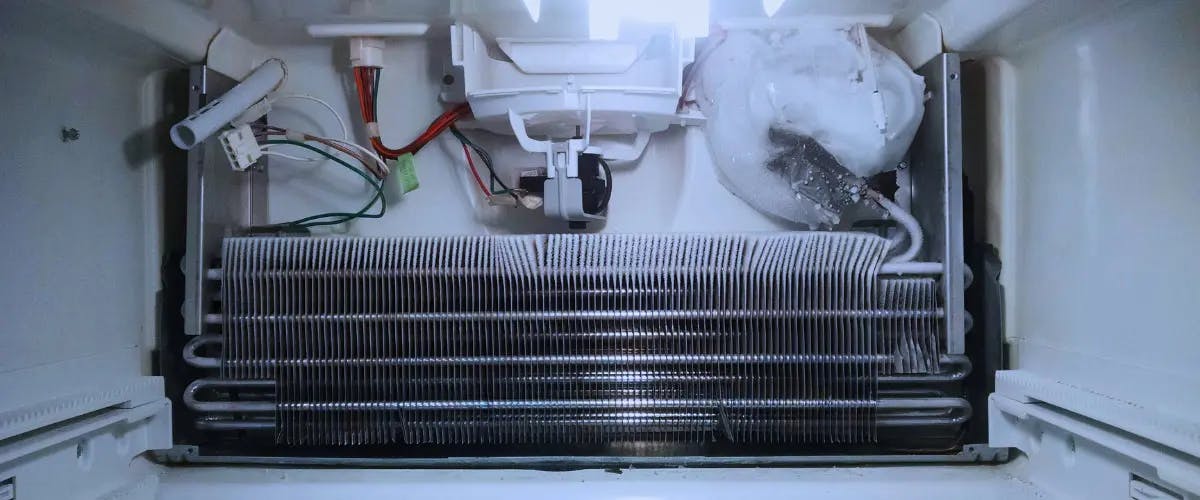
Why Is the Back of My Fridge Frozen?
Understanding why the back of your fridge freezes up is crucial for efficient appliance performance. This phenomenon not only affects food quality but also indi...

August 02
809
Home appliances
Ideal Refrigerator Temperature to Keep Your Food Fresh
Modern food preservation is made possible by the refrigerator. The equipment can keep food cold and safe to consume for days or weeks at the proper refrigerator...
March 08
772
Plumbing
9 Signs You Need To Call A Plumber
Plumbing issues are a part of every homeowner's life, and they can range from minor inconveniences to major disasters. Some problems can be fixed quickly and ea...
Couldn't find the right question?
You can send your question to our support team. We'll get back to you as soon as possible